Toddler Coloring Book For Kids
- 4.5
- Rating
- 10.00M
- Installs
- Free
- Price

 Analysis by App-foxy
When I first opened Toddler Coloring Book For Kids, I immediately understood its intended audience: very young children who want to make marks, choose colors, and see a picture become their own. It is a free educational game from Toy Tap LLP, designed for children aged two and up. The presentation is simple, friendly, and much less intimidating than a traditional drawing app, which matters when a child is still learning how to control a finger on a screen.
My first impression was positive because the game gets out of the way quickly. There is no complicated setup to learn before reaching the coloring activity, and the visual language is aimed at recognition rather than artistic precision. That makes it suitable for a short supervised session while an adult is nearby, but it also means older children may find it too basic. I would not choose it for a child looking for detailed digital painting; I would choose it for a toddler who needs an approachable first contact with coloring on a phone or tablet.
The game has been available since February 6, 2020, and its current version is 6.7.2. Its long presence on the platform is reflected in an average rating of 4.5 from around twelve thousand ratings, with more than ten million installs. Those figures do not replace personal testing, but they do suggest that the format has connected with a large audience of families looking for a straightforward coloring activity.
You May Also Like

 Blood Strike: 2.5 Anniversary
Blood Strike’s Loadouts Turn Every Drop Into a Tactical Gamble
A close look at Blood Strike’s custom loadouts: how fast access to signature weapons reshapes its battle royale rhythm, rewards preparation, and narrows the gap between fights.

 Pandora - Music & Podcasts
Pandora’s Music Is Easy to Start, but Harder to Recover
Pandora’s strength is its low-effort path from a seed to a station. Its weak spot is how much confidence it asks you to place in connection, setup, and quiet recovery.

 8 Ball Pool
 Is Built on Rivalries, Rematches, and Routine
A close look at the rivalries, rematches, shared routines, and unanswered safety questions that turn a quick pool match into a persistent mobile community.

 Samsung Music
’s Quiet Strength Is Playing What You Already Own
Its reach comes less from spectacle than from dependable access to a personal library. That simplicity is both the app’s strongest retention engine and its ceiling.

 AccuWeather: Weather Radar
AccuWeather Review: A Quick, Clear Forecast for Everyday Decisions
For everyday plans, the best forecast is the one you can understand quickly. AccuWeather makes rain timing, radar, and local conditions easy to act on, with a few trade-offs.

 Hill Climb Racing
Why Hill Climb Racing Still Turns Crashes Into One More Run
A tiny car, a bumpy hill and one more upgrade: Hill Climb Racing keeps resurfacing because its simple chaos makes every near-miss feel personal.
More From Our News Desk



How the pictures, sound, and pacing shape the experience
I focus here on how the pictures, audio, and unhurried rhythm combine to make coloring feel approachable for a very young child. One practical way to build on that calm atmosphere is to let the child choose when to pause, rather than treating a picture as something that must be finished; that keeps the activity relaxed and makes room for the next consideration: how the controls support a toddler’s first steps.
A visual world built for recognition
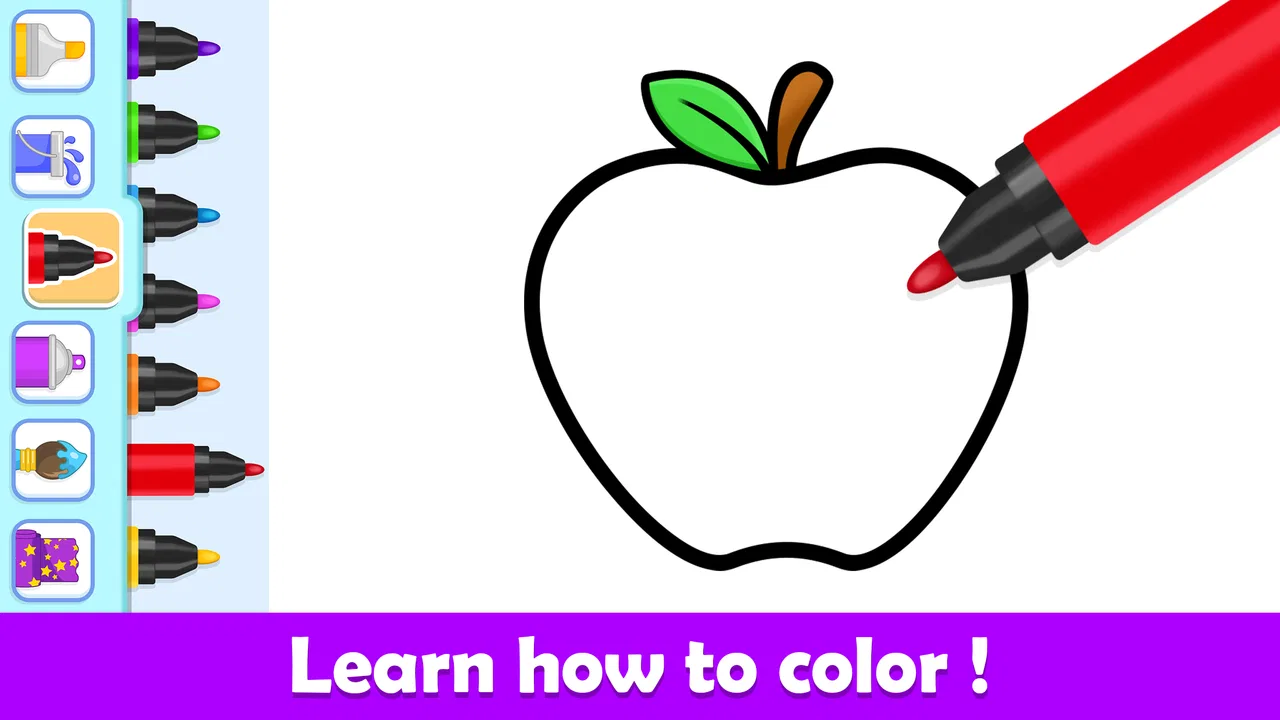
The art direction is the strongest part of the experience. Toddler coloring games work best when a child can understand the picture before worrying about technique, and this game follows that principle. The scenes feel intended to be read at a glance: a young player can focus on the action of selecting color and filling a picture instead of decoding a busy interface.
That simplicity creates a coherent mood. The game feels playful without becoming visually noisy, and the coloring activity remains the center of attention. For a two-year-old, this is important. A screen crowded with buttons, menus, animated distractions, or tiny controls can turn a creative task into a hunt for the correct control. Here, the overall design encourages the child to look at the picture and experiment.
I also found that the uncomplicated setting makes the app easier to use in everyday situations. A parent can hand over the device for a few minutes and explain the basic idea without giving a long lesson. The child can then explore the relationship between a tap, a color, and a visible result. That small cause-and-effect loop is more valuable than it may sound, especially during a first drawing session.
There is a trade-off, though. A restrained visual approach can feel repetitive to children who already use more advanced drawing tools. The game is not trying to recreate a full art studio, and it should not be judged by that standard. Its setting is closer to a digital coloring book than an open canvas. If your child wants to draw freely from an empty page, this is probably not the right choice.
Sound that supports rather than dominates
The sound design contributes to the gentle mood instead of turning every action into a dramatic event. In a toddler-focused game, that restraint is useful. Excessive effects can make a child tap repeatedly just to trigger noise, while a calmer audio layer leaves room for the visual result to matter.
I would still recommend trying the game with the device volume at a comfortable level before giving it to a child. Young players can become absorbed in repeated actions, and even pleasant sounds may become tiring during a longer session. The best use is often a brief activity with the volume low enough that the child can still hear an adult speaking nearby.
The audio and the art work together because neither one demands more attention than the other. The mood is not about suspense, competition, or speed. It is about making a small creative choice and seeing the picture change. That gives the game a slower emotional rhythm than many children’s games, which is one of its practical strengths for quiet time.
A pace that suits short creative sessions
The pacing feels deliberately relaxed. There is no need to rush through the coloring process, and the activity can be stopped and resumed according to the child’s attention span. That makes it useful after a meal, during a waiting period, or as a calm transition before another activity.
In a realistic family scenario, I can imagine a parent using it while waiting at a café or sitting beside a child during a quiet afternoon. The child can choose colors and work through a picture while the adult remains available. The game is more successful in that setting than a fast arcade title because it does not depend on quick reactions or a long uninterrupted play session.
The relaxed rhythm also exposes one limitation: there is little pressure to keep returning once the novelty of coloring has faded. Children who enjoy goals, levels, competition, or constant unlocks may lose interest sooner than toddlers who simply enjoy filling pictures. I see that as a deliberate fit issue rather than a flaw in execution. The app is best understood as a repeatable activity, not a large adventure with a developing story.
How the mechanics fit a toddler’s first steps
The central mechanic is easy to understand: select a color and apply it to part of a picture. That direct interaction is exactly why the game works for very young users. A toddler does not need to understand a complex rule system before receiving feedback. The screen responds to a simple creative decision, and the child can immediately compare the chosen color with the picture.
For adults, the important point is to treat the game as guided exploration rather than a test of accuracy. A child may tap outside an intended area, choose unusual combinations, or repeatedly select the same color. Those actions are part of learning how touch input works. The game is more enjoyable when the adult avoids correcting every choice and instead asks the child what they want to try next.
One useful technique is to begin with a familiar object or scene and let the child name it before coloring. That turns the activity into a small language exercise as well as an art activity. Afterward, you can ask which color was used most often or invite the child to find another object with the same color in the room. The app itself remains simple, but this surrounding conversation gives it more educational value.
Another practical tip is to use a larger tablet when possible. A phone can work, but small touch targets and a limited viewing area are less comfortable for a toddler’s developing motor control. A tablet also lets an adult sit beside the child without constantly holding the device at an awkward angle. This is not a reason to reject the game on a phone; it is simply where the format feels most natural.
Where it differs from ordinary coloring books
A paper coloring book still offers advantages that this game cannot fully copy. Paper has no battery, does not require a clean screen, and gives children a physical sense of crayons or pencils moving across a page. It also makes the finished picture easy to display. If your main goal is tactile practice, hand strength, or a screen-free routine, a traditional coloring book may be the better option.
The digital format has its own appeal. It removes the need to carry several colors, avoids the immediate mess of spilled supplies, and lets a child experiment without using up a page. For travel or short waiting periods, that convenience is meaningful. The child can begin quickly, and an adult does not need to prepare a collection of art materials.
Compared with open-ended drawing apps, this game offers more structure. That is helpful for a toddler who does not yet know what to draw, but limiting for a child who wants to invent characters or scenes. Compared with educational games built around letters, numbers, or puzzles, it has a narrower learning focus. Its value comes from visual choice, hand-eye coordination, color recognition, and creative confidence rather than from a broad curriculum.
The choice therefore depends on the child. I would recommend this over an advanced drawing app for a first-time young user because the learning curve is gentler. I would recommend paper over it when the family is deliberately trying to reduce screen use. I would choose a more feature-rich art tool for an older child who wants brushes, layers, free drawing, and detailed control.
What parents should consider before installing
The game is free to download and carries an Everyone age rating, which matches its toddler-oriented concept. It includes in-app purchases ranging from $1.99 to $6.99 per item, so I would check the device’s purchase settings before handing it to a child. A young player may tap through a screen without understanding that a purchase is involved, and a few seconds of preparation can prevent an unpleasant surprise.
The minimum operating system is Android 7.0. That makes compatibility fairly accessible for many older Android devices, although the experience will still depend on the particular phone or tablet and how comfortably a child can use its screen. I would test the controls myself first, then create a clear routine: sit with the child initially, explain that colors are for the pictures, and decide how long the session should last.
Parents should also be realistic about supervision. The game can occupy a child, but it is not a substitute for interaction. Its best use is alongside conversation, not as a silent replacement for play. I found that the activity becomes more rewarding when an adult comments on the child’s choices, names objects, and celebrates experimentation without insisting that every picture look “correct.”
Another trade-off concerns creative freedom. Because the experience is based around coloring prepared pictures, children who want to scribble freely may feel constrained. That limitation can actually help a beginner who needs a clear starting point, but it becomes frustrating once the child has learned the basic touch actions. Watch for that change. If the child starts asking to draw something that is not represented by the coloring activity, it may be time to add paper or move to a more open drawing application.
Small ways to get more from the game
I would use the app in short, purposeful routines rather than leaving it open indefinitely. One session could focus on choosing warm colors, another on finding objects that match something in the room, and another on telling a story about the finished picture. These ideas do not add complicated mechanics, but they prevent the activity from becoming a repetitive sequence of taps.
A second useful approach is to let the child make the first choice every time. Adults often select a color or demonstrate the “right” way too quickly. With this game, the unusual choice is often the most interesting part. A purple animal, a multicolored object, or a picture filled in an unexpected order gives the child ownership and creates an opening for conversation.
I would also avoid judging success by whether the child completes a picture. For a very young player, stopping halfway may simply mean attention has moved elsewhere. The meaningful outcome may be learning that a tap changes the screen, practicing a controlled movement, or recognizing a color. This mindset fits the game’s calm pace much better than treating it like a task that must be finished.
Finally, I would keep a paper alternative nearby. That may sound like a criticism of a digital coloring game, but it is actually the best way to use it well. Switching between the screen and physical materials helps the child notice what is different: digital color is immediate and tidy, while paper offers texture and a more physical movement. The two formats complement each other instead of competing.
Who will enjoy it and who should skip it
This game is a good match for parents introducing a toddler to coloring, families wanting a quiet travel activity, and children who enjoy recognizable pictures more than open-ended drawing. It is also useful when an adult wants a low-pressure way to talk about colors, objects, and choices. The simple presentation makes it approachable for children who may be overwhelmed by games with many menus or rules.
I would skip it if you are looking for a deep educational program with lessons in reading, mathematics, or science. I would also skip it for an older child who expects detailed artistic tools, advanced customization, or a strong sense of progression. The app’s appeal is concentrated: it offers a gentle digital coloring experience, not a complete creative suite.
The developer, Toy Tap LLP, has kept the concept focused enough that the art direction, sound, and pacing feel aligned. The game does not need a dramatic setting to work. Its world is the picture itself, its rhythm comes from patient coloring, and its mechanics support early touch exploration. That consistency is more valuable here than a long list of extra systems.
My final view of the atmosphere and value
After spending time with Toddler Coloring Book For Kids, I see it as a pleasant first coloring app rather than a game meant to hold a child’s attention for hours. Its strongest quality is coherence: the friendly visual style, restrained mood, and simple interaction all point toward the same goal. A toddler can approach it without needing to understand a complicated game structure.
The free entry point makes it easy to try, while the purchase options mean adults should prepare the device before use. The Everyone rating suits the intended audience, and the large install base shows that the format has broad family appeal. Still, popularity does not change the central limitation: children eventually seeking free drawing, richer challenges, or more tactile creativity will need another option.
My recommendation is to use it as a short, supervised creative activity, not as a replacement for art materials or shared play. If you want a calm introduction to digital coloring for a young child, it is an easy choice to test. If your priority is advanced drawing control, structured academic learning, or a screen-free routine, paper coloring or a different type of app will serve you better. For the right age and situation, though, its modest scope is exactly what makes the experience approachable.
FAQs for Toddler Coloring Book For Kids
01What age group is the Toddler Coloring Book For Kids app suitable for?
The Toddler Coloring Book For Kids app is designed specifically for children aged 2 to 5 years. This age-appropriate app offers simple, engaging illustrations and a user-friendly interface that helps young children develop their motor skills, creativity, and color recognition in a fun and entertaining way.
02Does the app include in-app purchases or advertisements?
The app offers a free version with basic coloring pages, but it may include in-app purchases to unlock additional content or features. The presence of advertisements depends on the version you choose. It is advisable for parents to monitor their child's use and consider the paid version to avoid ads.
03Is the Toddler Coloring Book For Kids app available offline?
Yes, once the app is downloaded and installed, it can be used offline. This makes it a convenient choice for parents looking to entertain their children during travel or in areas with limited internet access. However, some features may require an internet connection for updates or additional content.
04How does the app support child development?
The Toddler Coloring Book For Kids app supports child development by encouraging creativity, improving fine motor skills, and enhancing color recognition. Through interactive coloring activities, children can learn to differentiate colors, follow patterns, and develop hand-eye coordination, all essential skills for early childhood development.
05Can multiple children use the app on the same device?
The app allows multiple children to use it on the same device, though it doesn't support multiple user profiles. Parents can easily switch between different coloring pages or reset completed drawings, making it adaptable for siblings or playdates, but individual progress tracking is not available.
Pros
- Fun and engaging interface for kids.
- Wide variety of coloring pages available.
- Easy-to-use controls for toddlers.
- No in-app purchases
- safe for kids.
- Encourages creativity and learning.
Cons
- Limited color palette options.
- Lacks advanced drawing tools.
- Some ads may be distracting.
- Occasional app crashes reported.
- Requires internet for full features.

Toddler Coloring Book For Kids
Gallery